
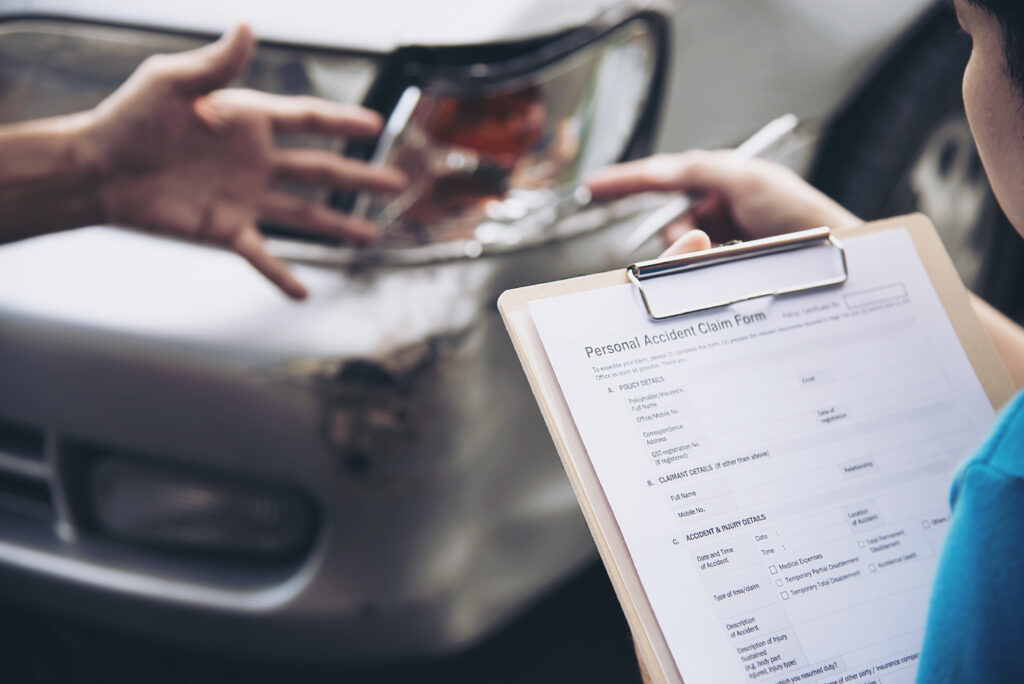
One clear system can keep photographs, contacts, receipts, and follow-up details from becoming scattered across devices and paperwork.
A roadway incident can interrupt a routine in minutes, but related information may keep arriving for days. Photographs remain on a phone, contacts sit in a notes app, receipts collect in a wallet, and appointments appear in separate emails.
Creating a basic system early can make administrative tasks easier and reduce the need to reconstruct details from memory. The purpose is organization, not deciding who was responsible or predicting what happens next.
Depending on the circumstances, a person may also seek information from qualified professionals, including car accident attorneys, while keeping personal records accessible.
Start a Simple Road Incident Timeline
A timeline can begin with the date, approximate time, general location, and a factual description of the event. Later entries might note calls, emails, appointments, documents received, or vehicle-service dates.
Consider someone involved in a minor parking-area incident. That person creates a dated digital folder that evening and records the basic sequence while details remain fresh. Weeks later, the timeline helps match an email to a receipt. It does not establish fault; it serves as a chronological reference.
Organize Car Accident Documentation in One Place
A central folder prevents material from being divided among a desk drawer, inbox, phone gallery, and glove compartment. A physical binder may suit someone who prefers paper, while a secured digital folder can make files easier to search.
Categories may include photographs, contacts, correspondence, vehicle paperwork, receipts, appointment details, and personal notes. A name such as “2026-09-12_vehicle-repair-receipt” places the date and subject directly in the file name.
Use Smartphones Carefully for Road Incident Records
A smartphone can take appropriate photographs, save contact details, scan paperwork, add calendar dates, and set reminders. Remember, immediate safety should still come first.
At the scene, a person should follow applicable instructions and remain aware of surrounding traffic. Records can be sorted after the person reaches an appropriate location.
Keep Receipts and Financial Paperwork Organized
Receipts, repair documents, transportation expenses, and related correspondence can accumulate after an unexpected interruption. Storing them together by date and category makes later review easier.
A simple index can list each document, date, amount, and storage location. This does not mean a particular expense will be reimbursed. It only creates a clearer account of paperwork received and money spent.
Protect Sensitive Digital Records
Road-incident files may contain addresses, phone numbers, identifying details, or other private information. Device locks, controlled sharing, secure accounts, and appropriate backups can limit unnecessary access.
The National Institute of Standards and Technology (NIST) recommends multifactor authentication for online accounts and advises using a password manager when passwords are required [NIST, 2025]. A Law News Day discussion of cybersecurity and modern legal technology similarly addresses secure methods for sharing sensitive documents.
Before sending a file, the individual can confirm who requested it, why it is needed, and whether the proposed method is appropriate. A short log of shared documents may help to prevent confusion later.
Know When a Question Requires Professional Guidance
Different questions call for different expertise. Medical concerns belong with healthcare professionals, vehicle repairs with automotive professionals, and insurance questions with the relevant insurer. Individual legal questions may warrant advice from a qualified legal professional.
Not every incident requires every type of assistance. Identifying the question first helps the person choose an appropriate source of guidance.
Build a Recordkeeping System That Is Easy to Maintain
A practical system needs only a central folder, clear categories, consistent file names, a timeline, and an accessible contact list. Sensitive information should receive suitable protection, and digital files can be backed up when appropriate.
The best structure is one the individual can maintain without creating another burden. Filing each new document promptly may make later administrative work simpler.
Frequently Asked Questions About Road Incident Documentation
What information should someone organize after a car accident?
Possible records include contact information, photographs, correspondence, vehicle paperwork, receipts, appointment details, and documents received afterward.
Is it useful to create a road incident timeline?
Yes. A factual timeline can organize dates, communications, and appointments, but it does not determine fault or guarantee an outcome.
How should photographs and documents be organized?
Descriptive file names, dates, and logical categories can make specific information easier to retrieve.
When might someone seek professional guidance?
That depends on the question. Medical, vehicle, insurance, and legal concerns may require different qualified professionals.